home Tools and Productivity

Price Ladder (DOM)

A price ladder that stacks bid and ask quantities against every price level and lets you place orders with a single click, right beside your chart.
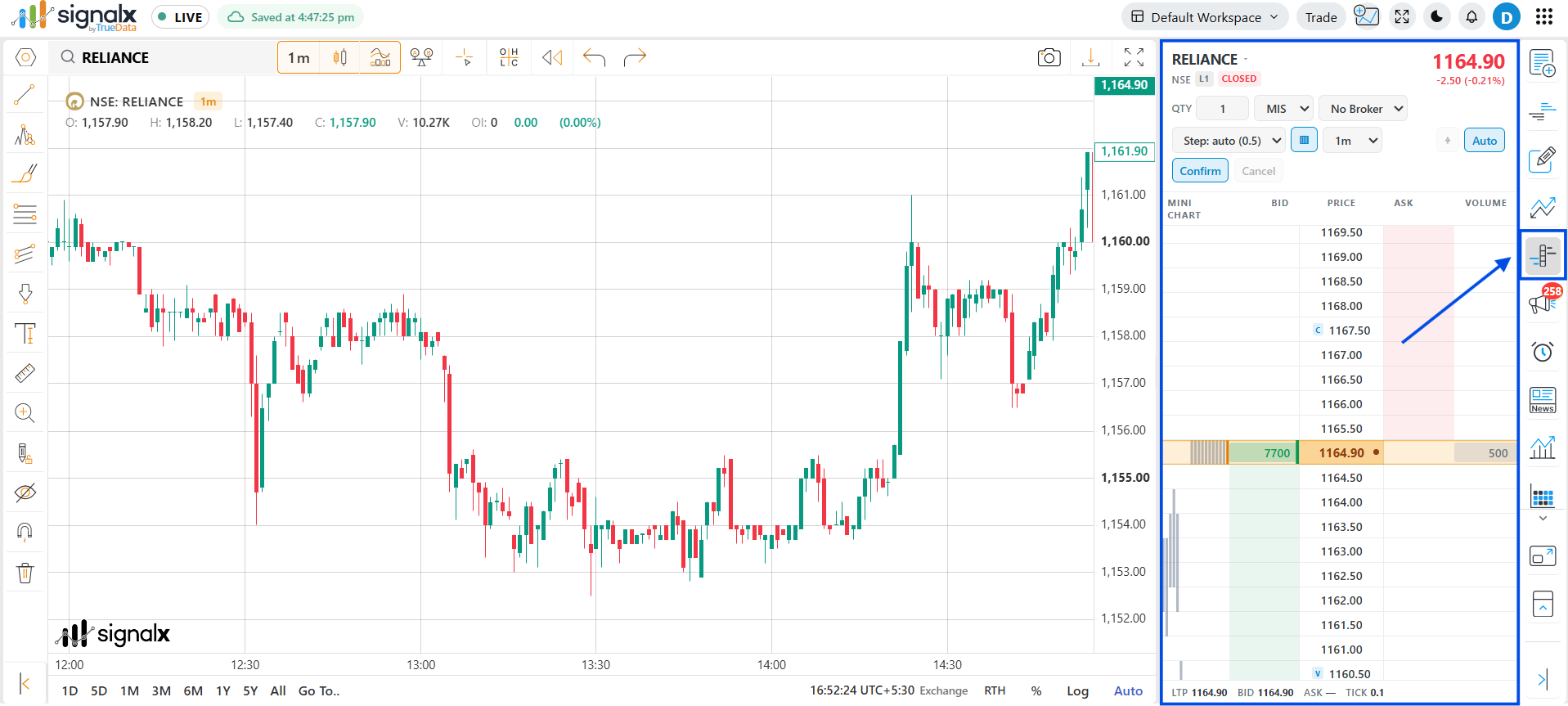
Price Ladder (DOM) in SignalX

Opening the Price Ladder

1
Open it from the widget menu
Click the Price Ladder icon in the right-side widget menu to open the ladder next to your chart.
2
Or right-click on the chart
Right-click anywhere on the chart and choose Price Ladder from the menu. It loads the symbol currently on the chart.
3
Bid and ask appear straight away
Bid and ask show up immediately, before the full market depth finishes loading. The ladder also doesn't flicker on every tick, so price levels stay steady and easy to read.

What the Ladder Shows

Column · Description
Mini Chart - A small chart of traded activity beside each price level
Bid - Buy quantity waiting at each price, shown in green
Price - The price levels. The current price row is highlighted in the middle of the ladder
Ask - Sell quantity waiting at each price, shown in red
Volume - Traded volume at that price level
Info strip - LTP, Bid, Ask, Tick size and Lot size are always visible at the bottom

Key Features

touch_app

One-click order entry

Place orders straight from a price level on the ladder, without opening a separate order window.

bolt

Instant bid / ask

Bid and ask appear straight away, so the ladder is never empty while depth is loading.

blur_off

Flicker-free updates

The ladder doesn't redraw on every tick, so it stays readable even in fast markets.

save

Remembers toolbar settings

Lots, product type, price step and other toolbar choices are saved, so the ladder opens the way you left it.

tips_and_updates

Keep the Price Ladder docked beside your chart - watching bid and ask quantities build up around the current price gives you context that candles alone can't.